
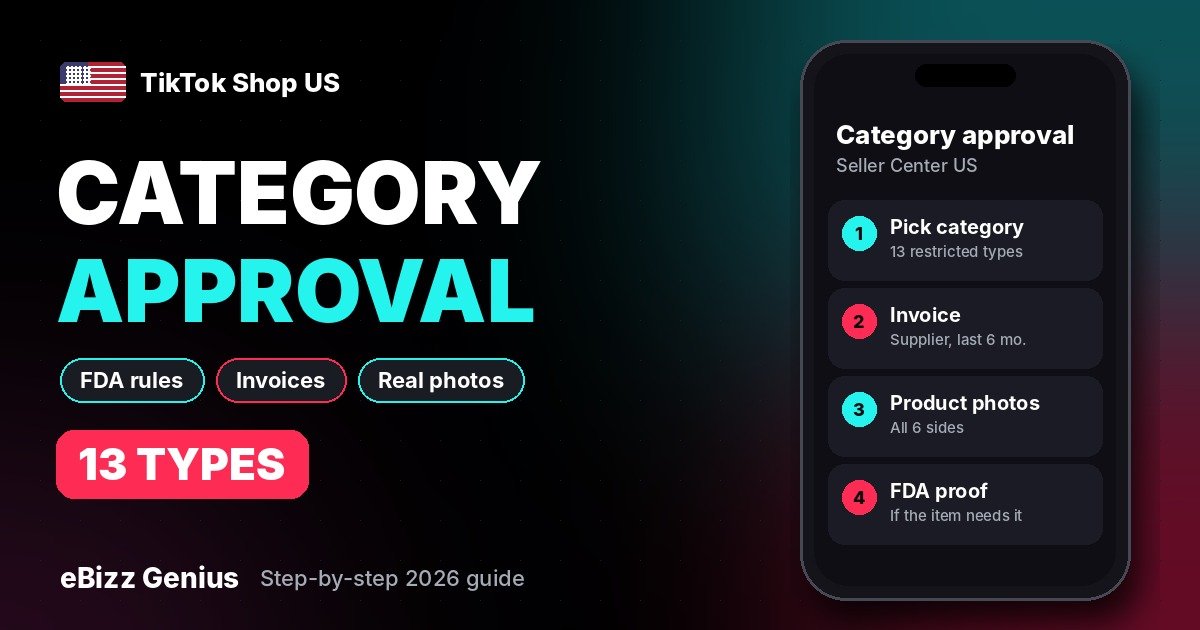
On TikTok Shop US, 13 product types need category qualification before you can list them. Here is what TikTok US accepts, which FDA documents apply, and every step with real US screenshots.
Product types that need approval
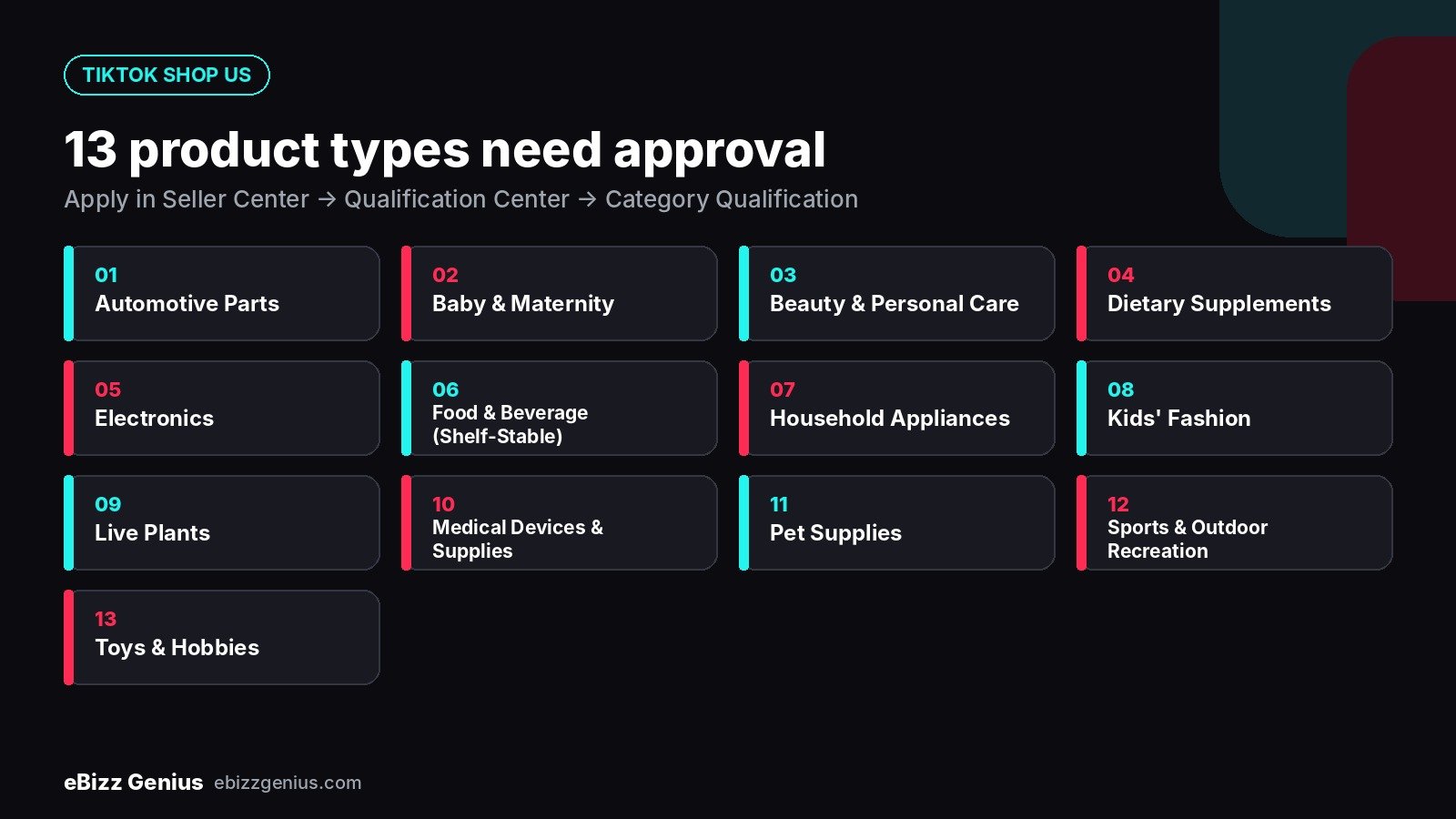
Each product type has its own policy page in TikTok Shop US Academy that lists the exact documents. Read it before you apply.
Documents TikTok Shop US commonly asks for
| Document | Key rule |
|---|---|
| Product photos | Real, unedited photos of the full product, packaging and label: ingredients, directions, net content, manufacturer or distributor name and address, safety markings or expiry date. |
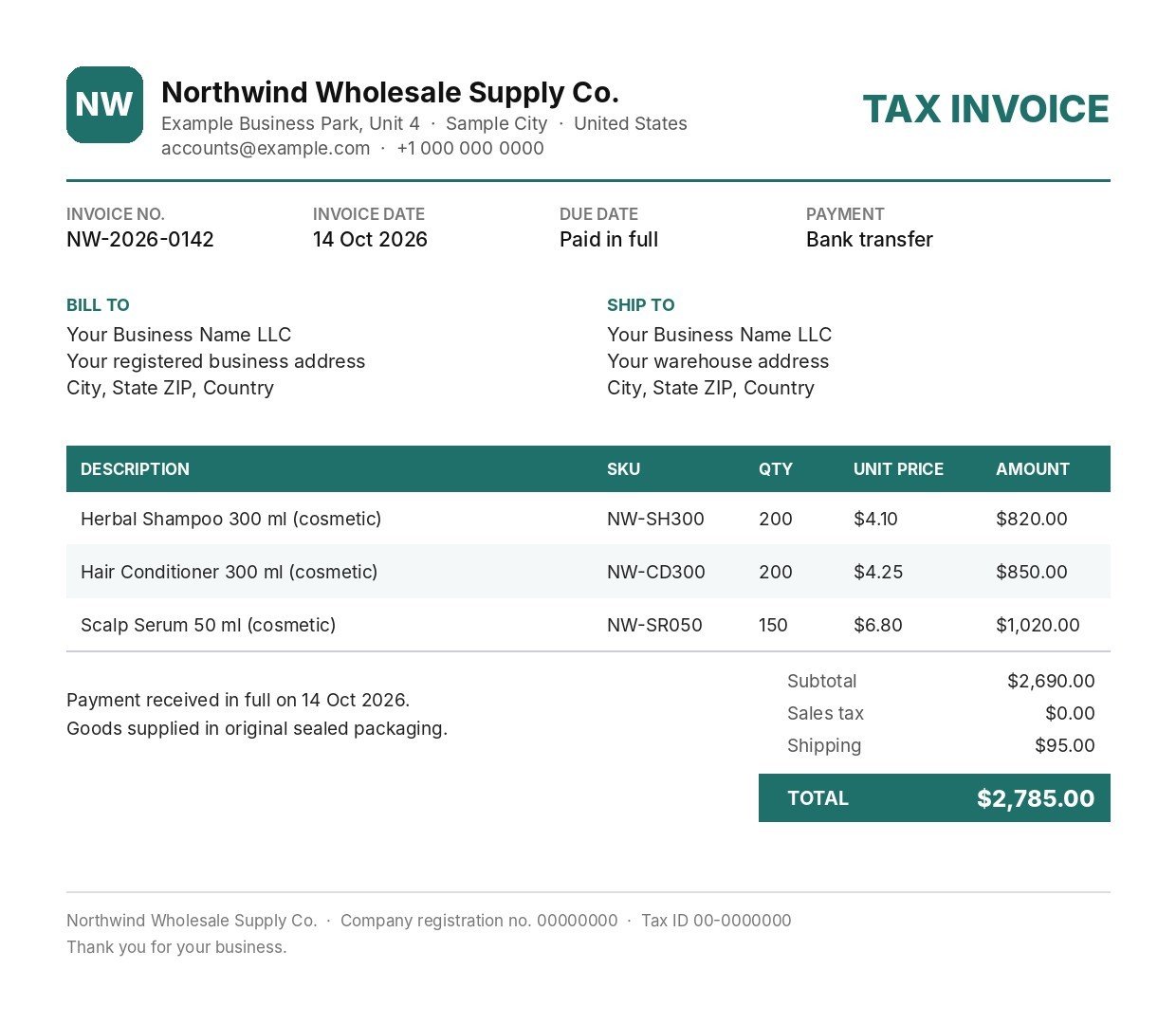
| Purchase invoice | For resellers. Supplier name and contact, purchase date within the past 12 months, products matching your listing. Packing slips, marketplace orders and screenshots are usually not accepted. |
| FDA documents | For beauty, personal care, food, beverage and medical products. See below. |
| Certificate of compliance | Electronics and appliances: manufacturer or importer, product type and model, standard or test (for example UL or FCC), issue or expiry date, typically within 5 years. |
FDA documents TikTok US may ask for
See the official FDA pages
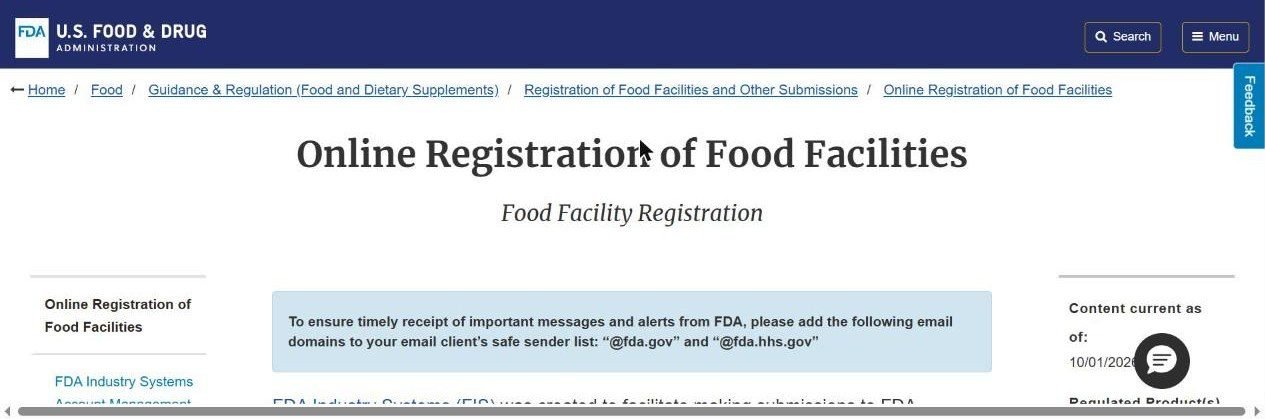

- FDA: Online Registration of Food FacilitiesFree food facility registration and renewals
- FDA: Cosmetic facility registration and product listingMoCRA and Cosmetics Direct
Submit in the US Seller Center: 6 steps
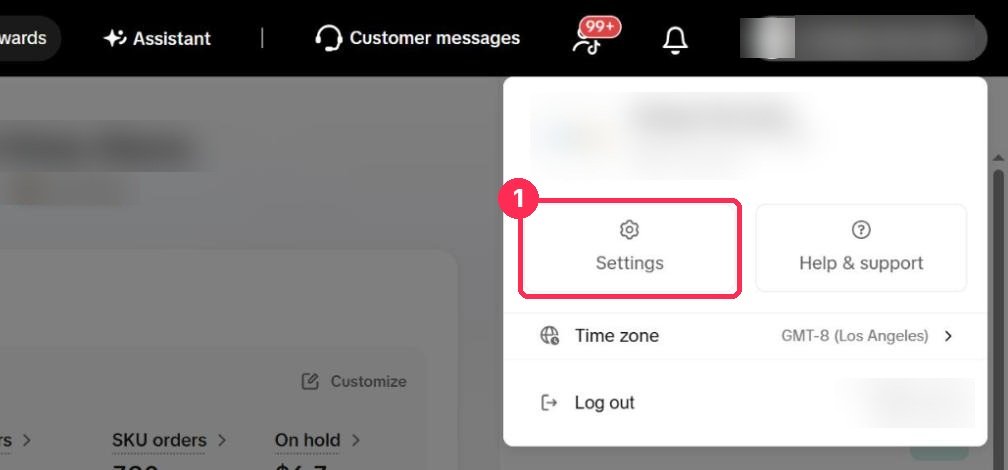
- Open Settings
Click your shop name (top right), then Settings.
Step 1: shop menu → Settings - Open the Qualification Center
Click Qualification Center.
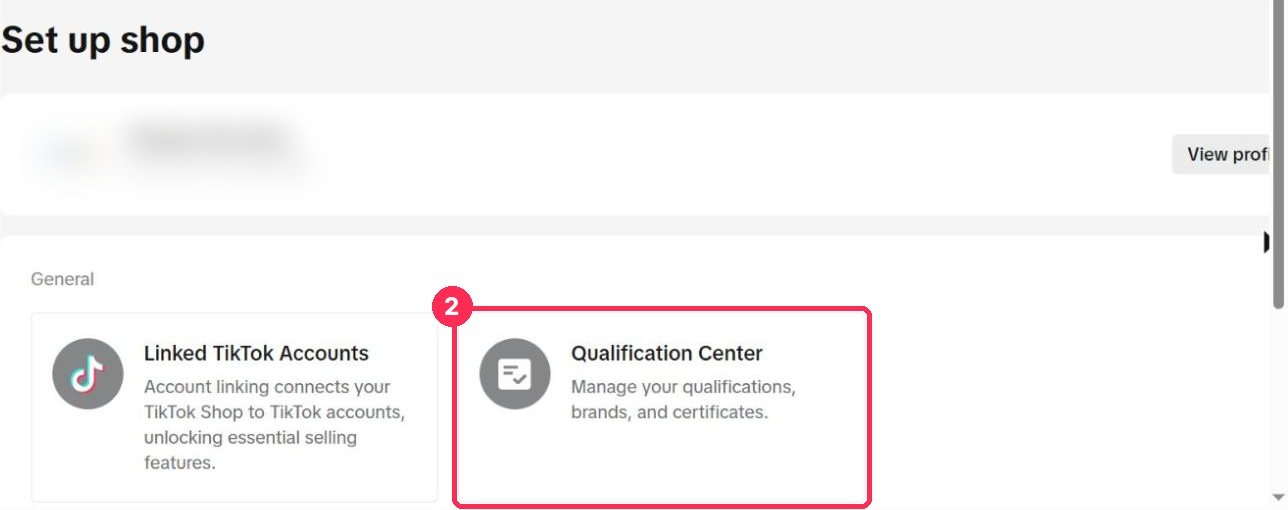
Step 2: Settings → Qualification Center - Go to Category qualification
Open the Category qualification tab, then click Add category authorization.
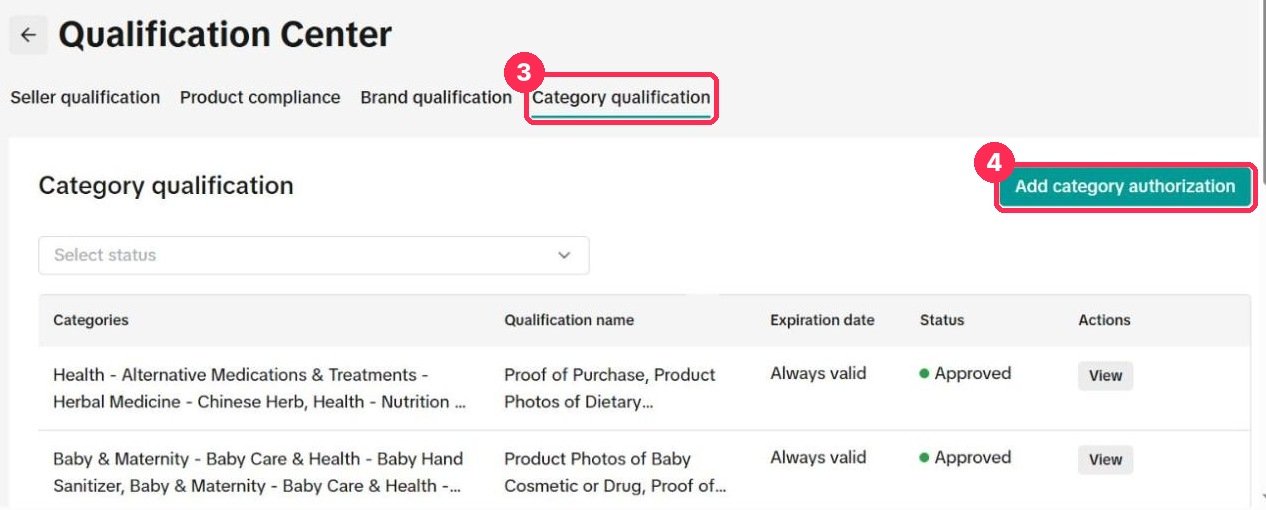
Step 3 and 4: the Category qualification tab and the Add category authorization button - Choose the exact category
Pick the exact product type, or just type it (for example Collagen) to see the full path. It must match your photos and invoice.
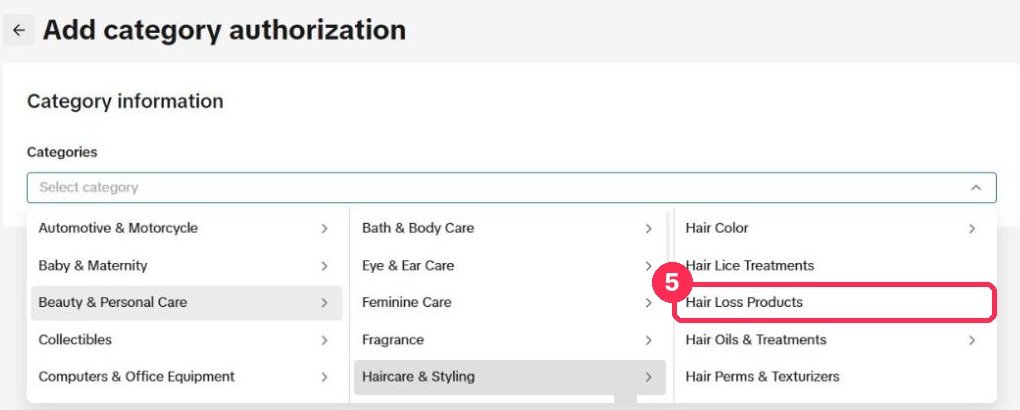
Step 5: Beauty & Personal Care → Haircare & Styling → Hair Loss Products 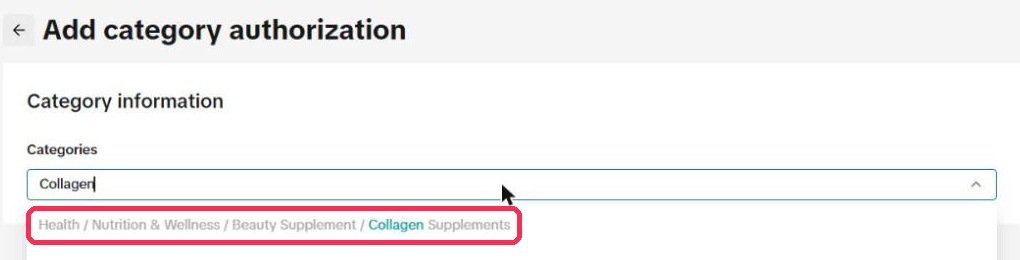
Tip: search by product type to see the exact category path - Select who you are and upload product photos
Choose Reseller or Manufacturer. TikTok then lists the exact photos it needs. See the photo rules below.
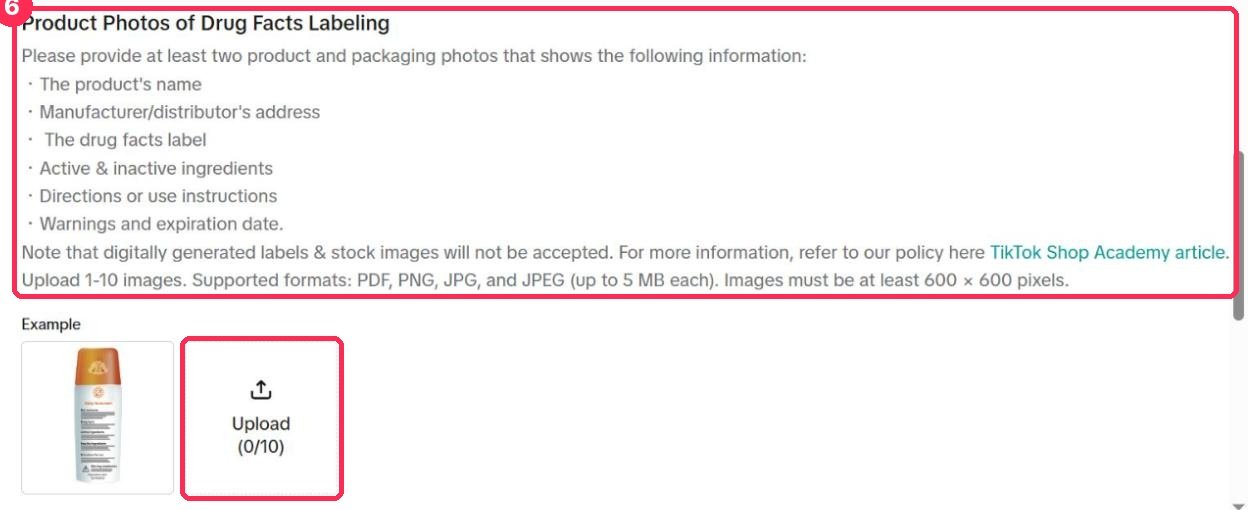
Step 6: the photo requirements TikTok shows for this category - Upload proof of purchase and submit
Upload a supplier invoice from the last 365 days, then click Submit. Not accepted: proforma or commercial invoices, order confirmations, purchase orders, Amazon or Alibaba receipts.

Step 7–8: proof of purchase rules and the Submit button
Key points from TikTok Shop US Academy
- Read the category policy for your product type before you apply.
- Most applications are reviewed within about 6 days.
- Only one active application per category at a time.
- Rejection reasons arrive in your Seller Center inbox (bell icon) and in the Qualification Center.
- Most rejections come from missing, incorrect or low-quality documents.
- Once approved, you can list any product in that category.
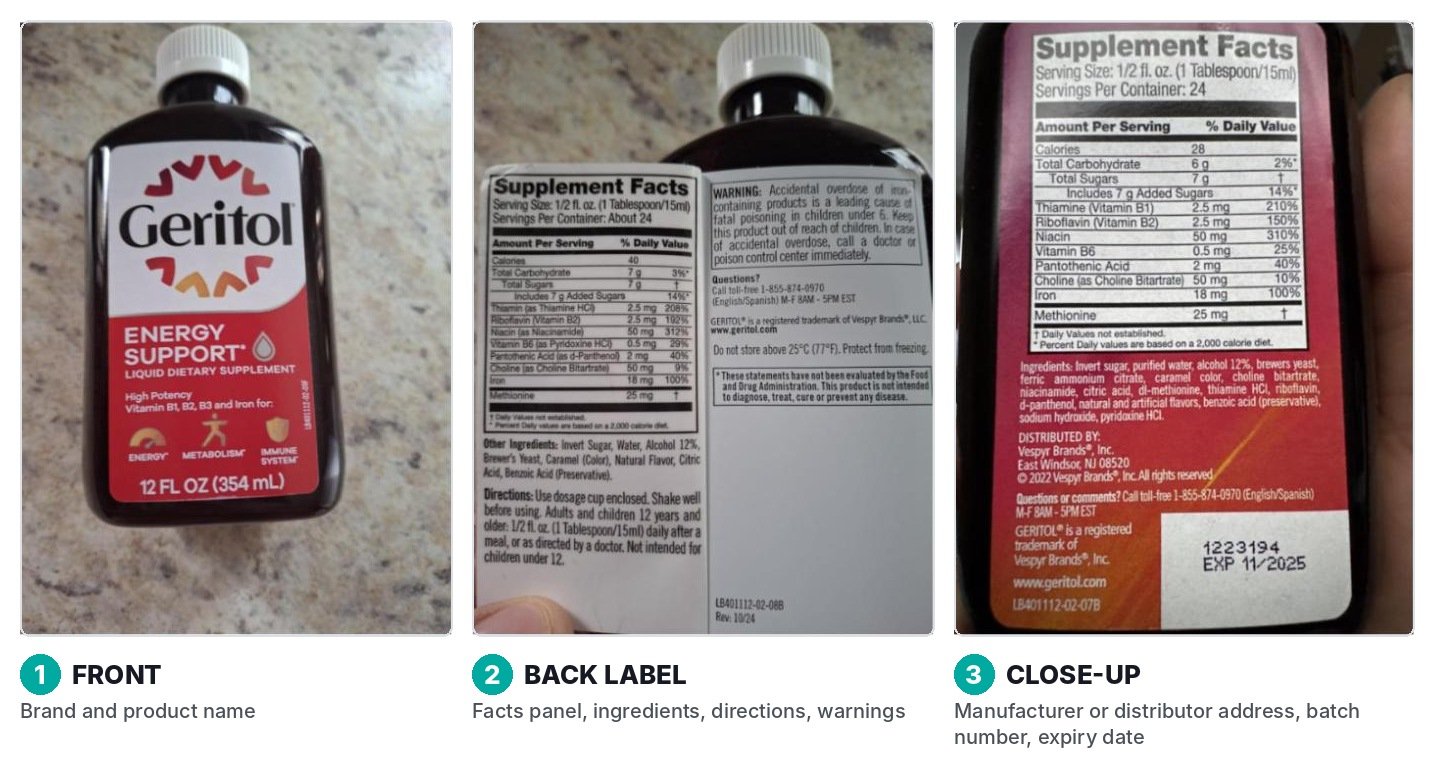
How to photograph your labels
Label photos are the number one reason for rejection. Follow these six rules:
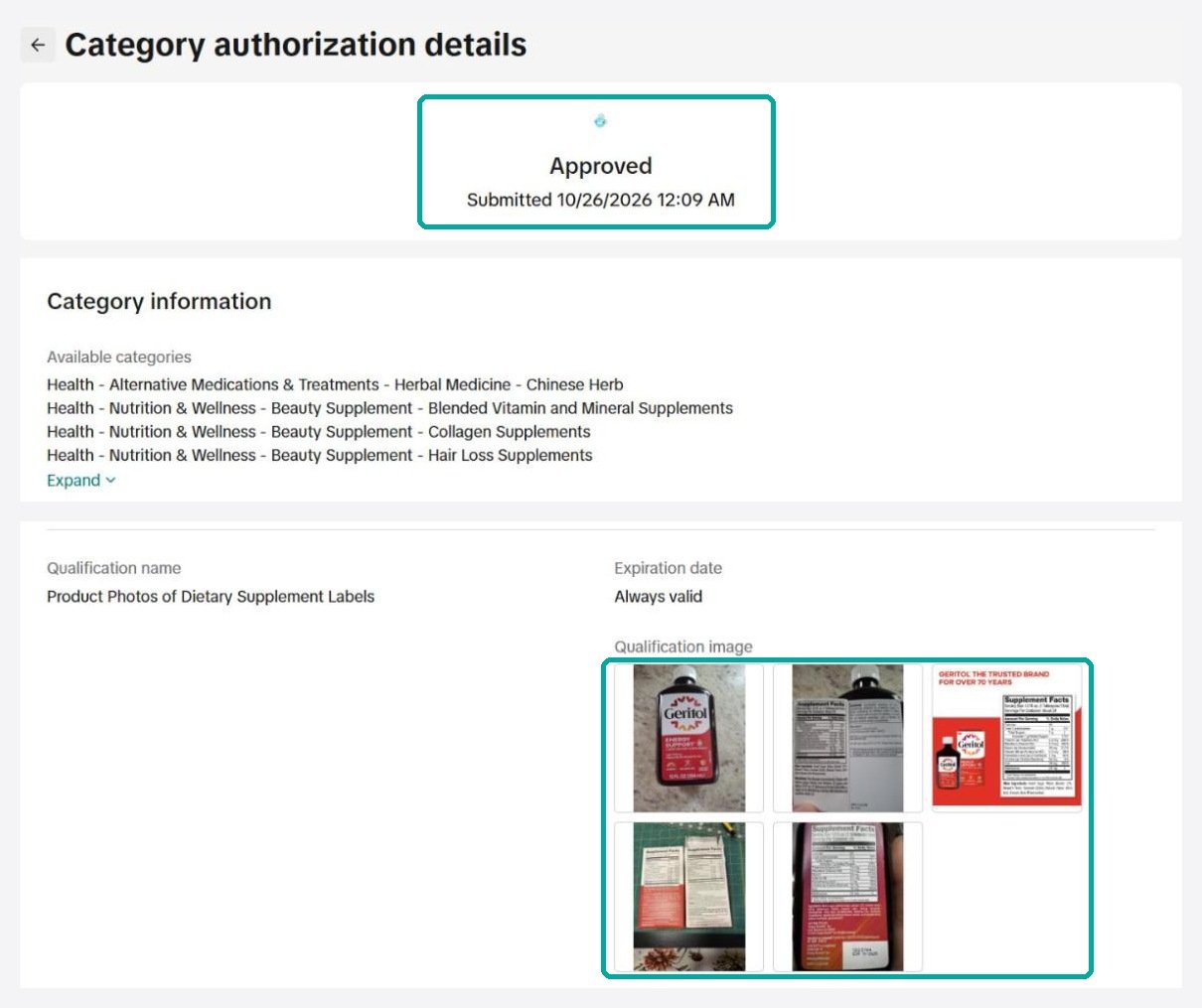
An application approved on the first try
Health category, supplements, for a shop we manage. Real, sharp photos of every side of the label.
How your invoice should look
Rejected? Fix it in 2 steps
- Open the rejected application
Click View and resubmit next to the rejected category.
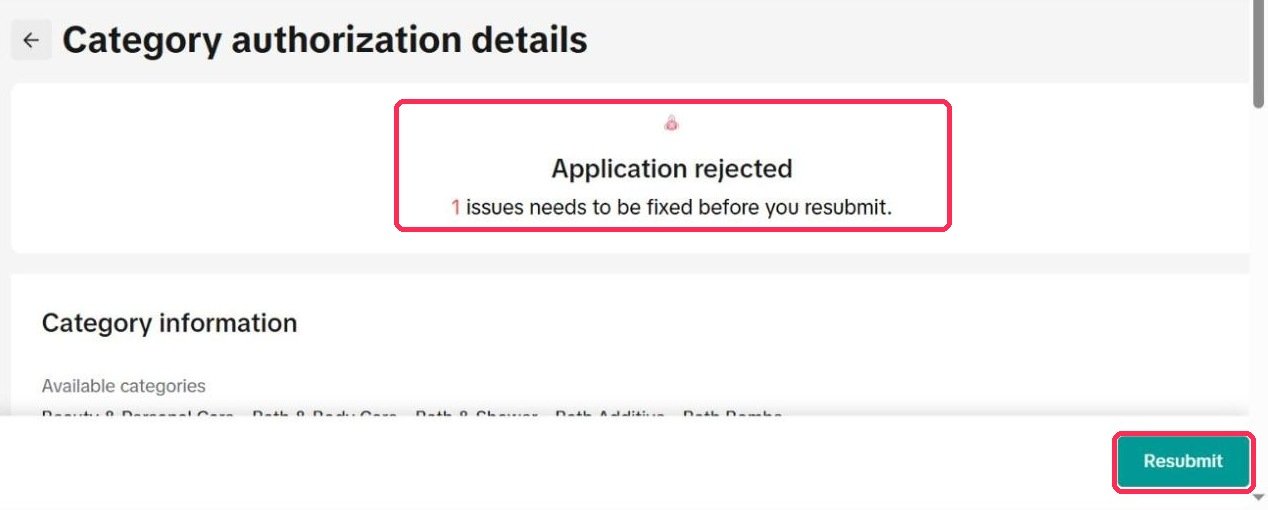
A rejected application: fix the issue, then click Resubmit - Find the document that failed
It is marked Rejected. Here the application was for Bath Additives but the photos show a perfume, and one photo has no label. Replace only what failed, then click Resubmit.
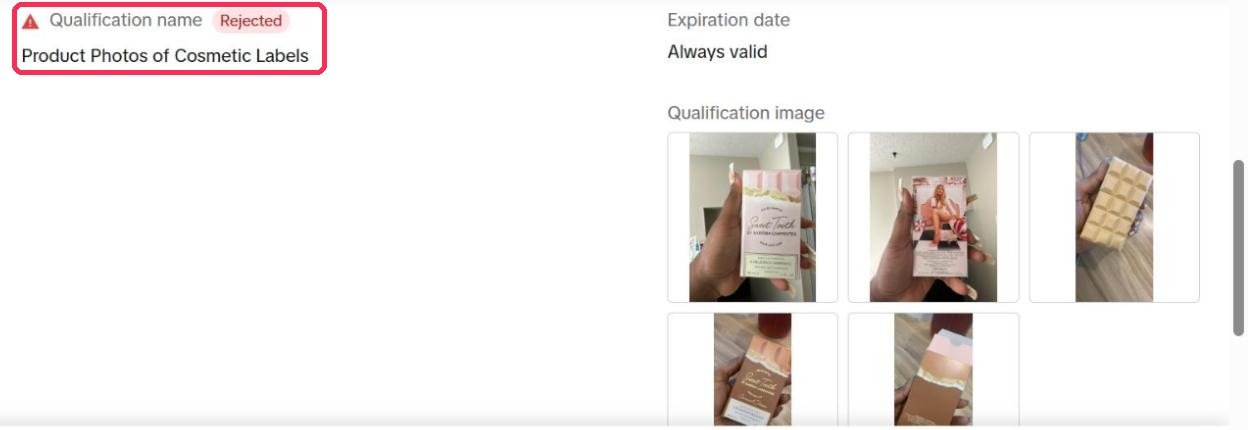
The rejected document is flagged in red 
Why it failed: a perfume submitted for a bath additives category, and one photo with no label at all
- Your Guide to Category Qualification (TikTok Shop US Academy)Updated 08/11/2026
Can’t get it approved? Our team can do it for you
If the documents are confusing, keep getting rejected, or you simply do not have time, the eBizz Genius team can handle US category approval for you. We check what TikTok Shop is asking for, tell you exactly which genuine documents you need, prepare a clean submission and follow it through to approval.
eBizz Genius Limited, registered in England and Wales (Company No. 15954165).