
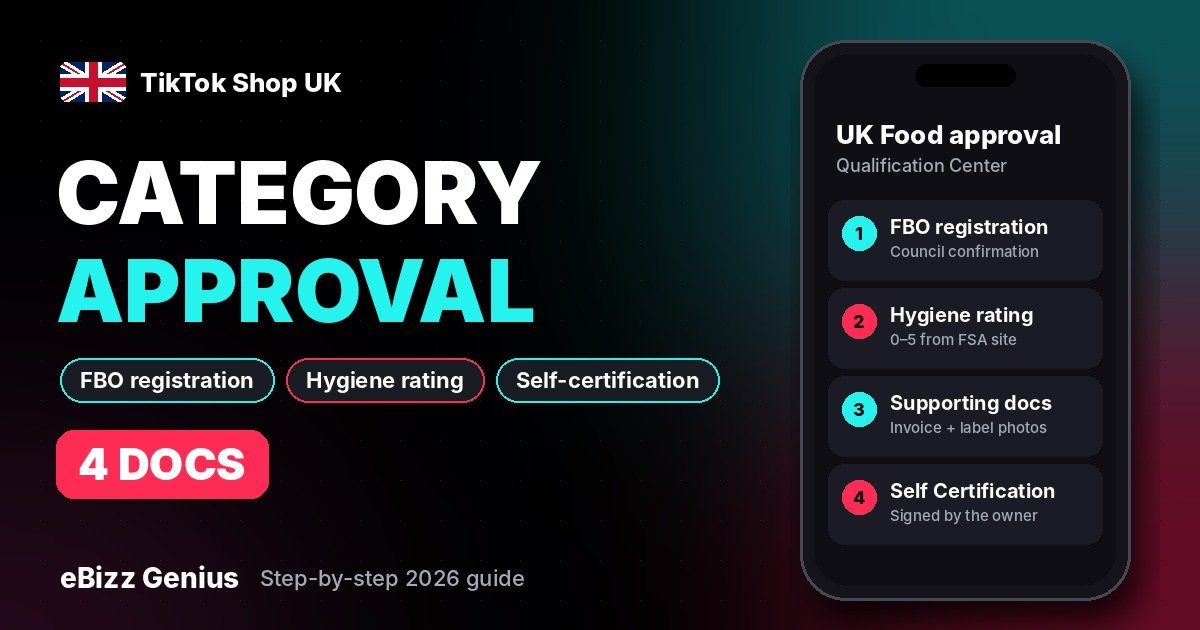
On TikTok Shop UK, food, drinks and supplements are Invite-only products: you cannot list them until TikTok approves your category. Here is exactly what the UK Seller Center asks for, using the same names you will see on screen, with real UK screenshots.
Which UK categories need approval?
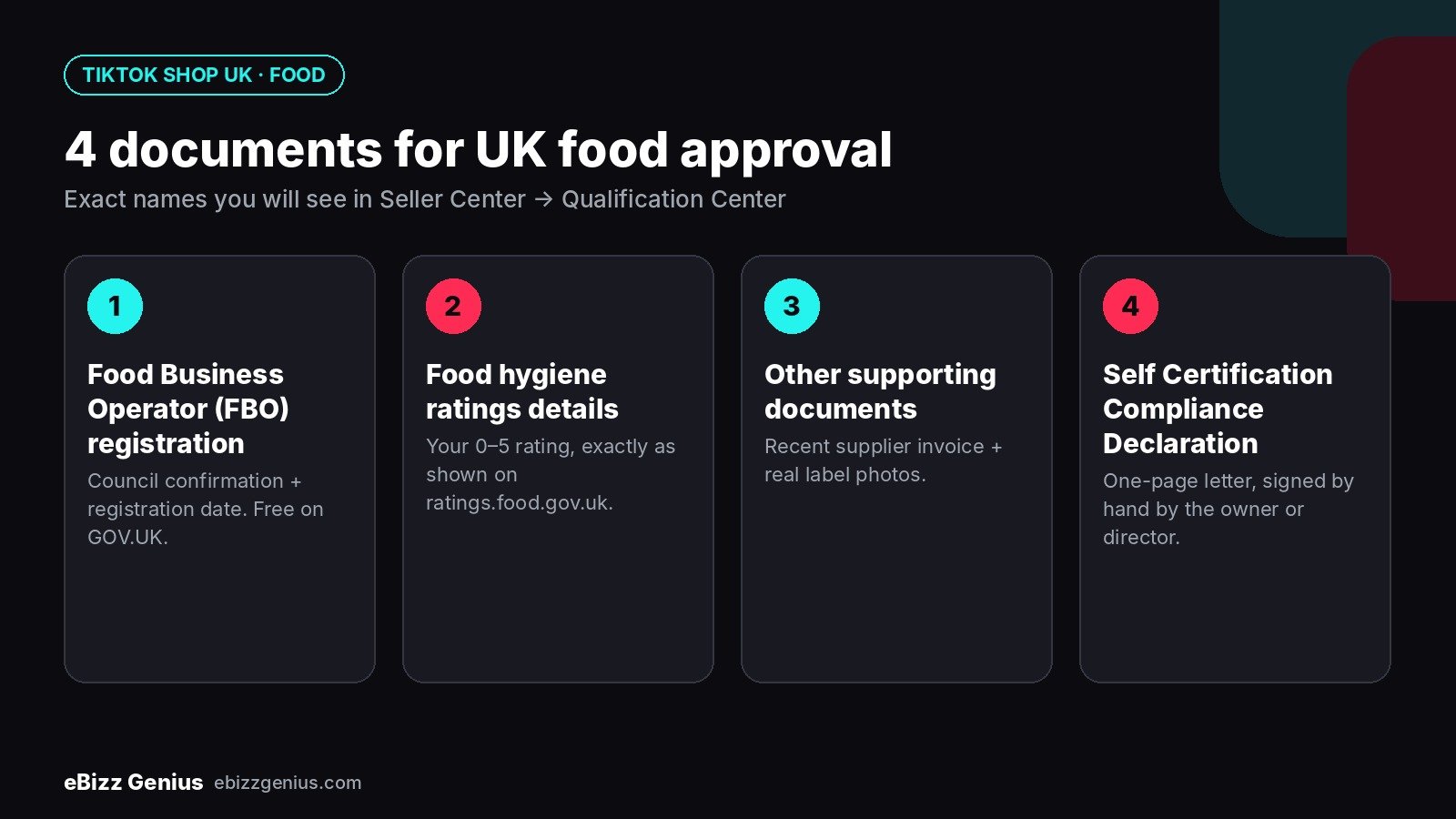
Food and drink: the documents, by their Seller Center names
Extra documents for some sellers
- Manufacturers: a HACCP plan (Hazard Analysis and Critical Control Points) showing how you keep food safe.
- Personal sellers of supplements: a certificate from an approved food manufacturer, or links to your existing online store.
- Alcoholic and non-alcoholic drinks: ABV % on the product image and in the description.
- Not supported in the UK: baby formula and some additives.
How to get each document
- Food Business Operator (FBO) registration
Register on GOV.UK at least 28 days before you start trading. It is free and the council cannot refuse it. Save the confirmation email from your council as a clear JPG: its date is your registration date. Full walkthrough: food registration guide.
- Food hygiene ratings details
After you register, the council inspects your business and gives a rating from 0 to 5. New businesses have no rating until the first inspection, and show Awaiting inspection until then. Find your business on ratings.food.gov.uk and enter exactly the rating it shows.
- Other supporting documents
A supplier invoice for the products you will sell, plus real photos of the labels. Your name and address must match your shop.
- Self Certification Compliance Declaration
Use the example from Seller Center, fill in your real details, sign it by hand as the owner or director, and save it as a JPG.

Submit in the UK Seller Center: 6 steps
- Open the Qualification Center
On a desktop (it does not work on mobile), go to My Account → Account Settings → Qualification Center and open Category qualification.
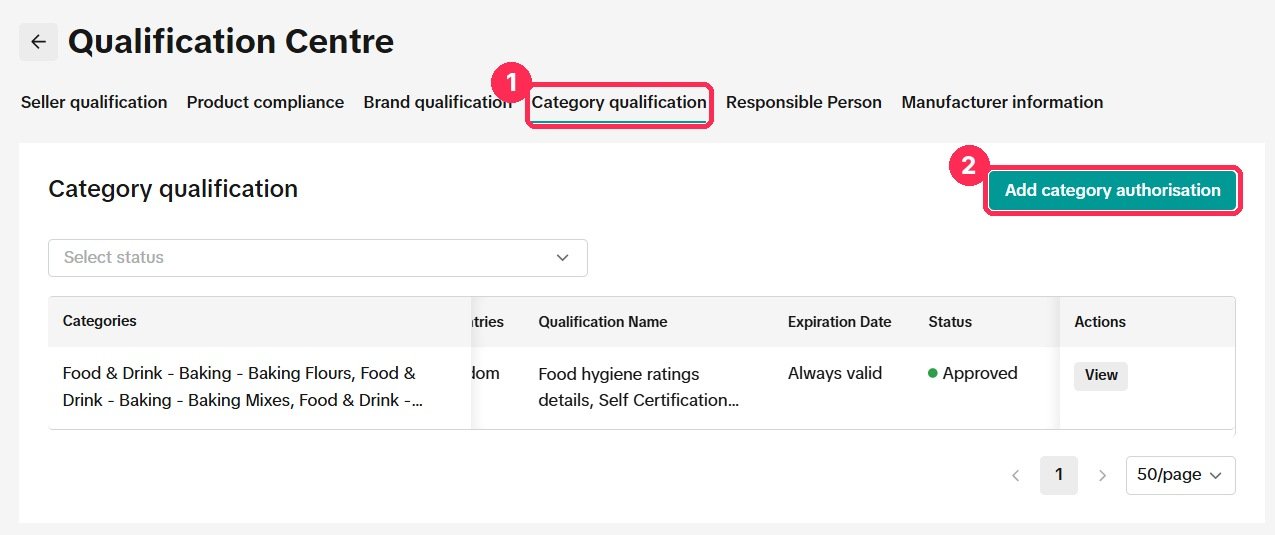
Steps 1 and 2: Category qualification and the Add category authorisation button - Add category authorisation
Click Add category authorisation and select the exact categories you will sell, for example Food & Beverages → Baking.
- Add your FBO registration and hygiene rating
Fill in Food Business Operator (FBO) registration (registration date and image) and Food hygiene ratings details. Every manual entry must match your documents.
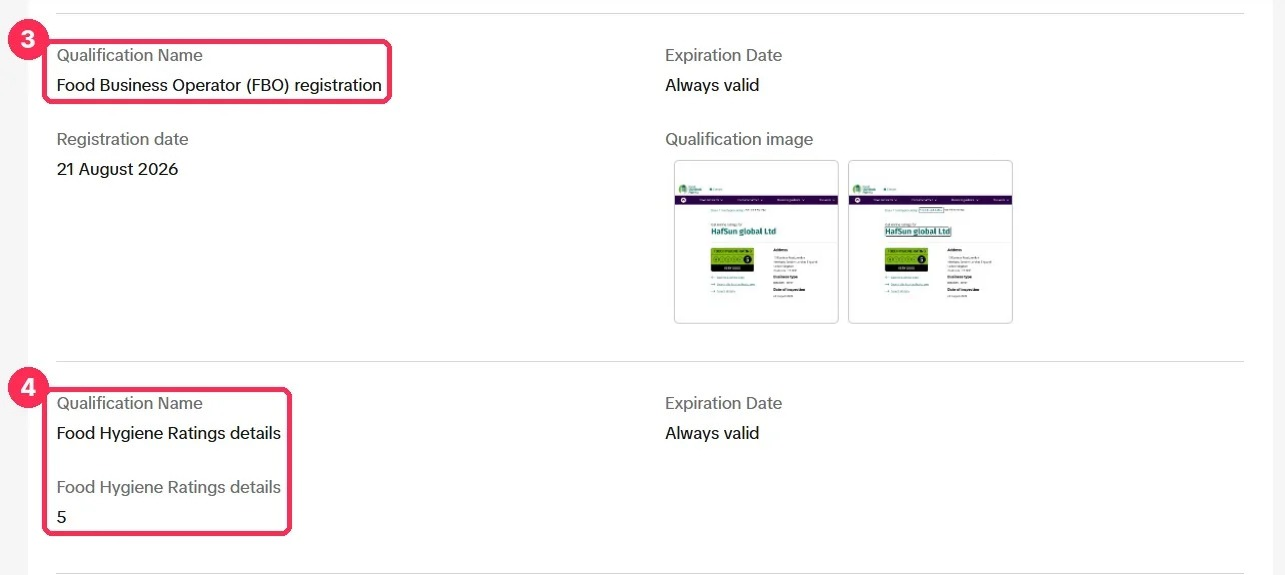
Steps 3: Food Business Operator (FBO) registration and Food hygiene ratings details - Add the remaining documents
Upload Other supporting documents and your signed Self Certification Compliance Declaration. Only authentic documents: false records lead to penalties.
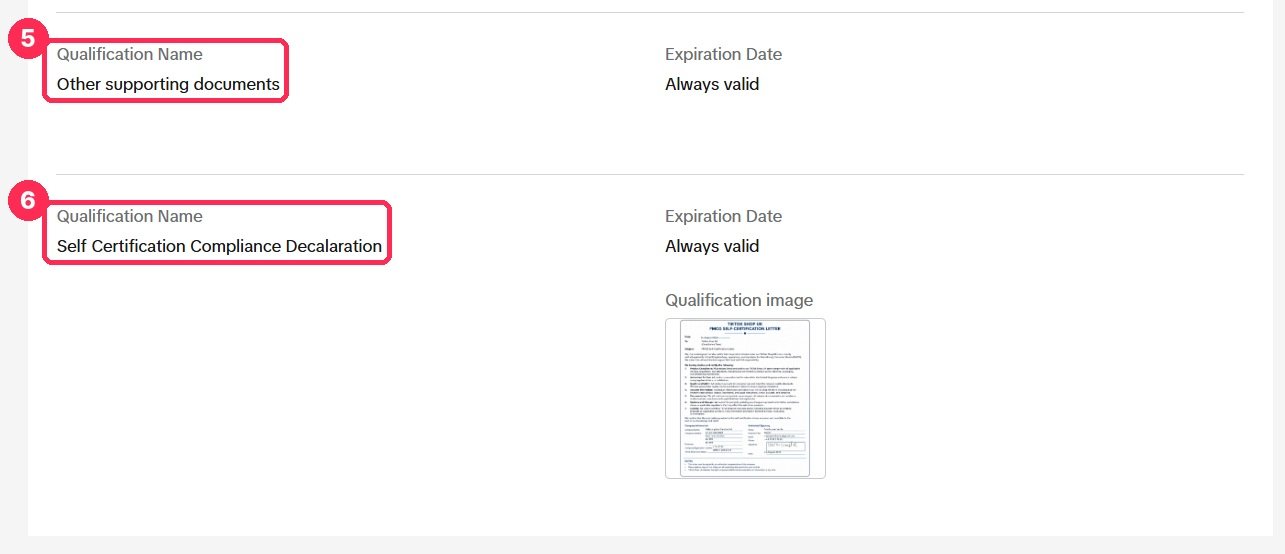
Step 4: Other supporting documents and the Self Certification Compliance Declaration - Submit
Check everything before you submit: you cannot edit or apply again for these categories while the application is pending.
- Check the result
TikTok tells you by email and in the Message Center. Once approved, you can list products in that category. Rejected? Read the reason, fix that document and resubmit. Need help? Help → Help Centre → Chat with us.
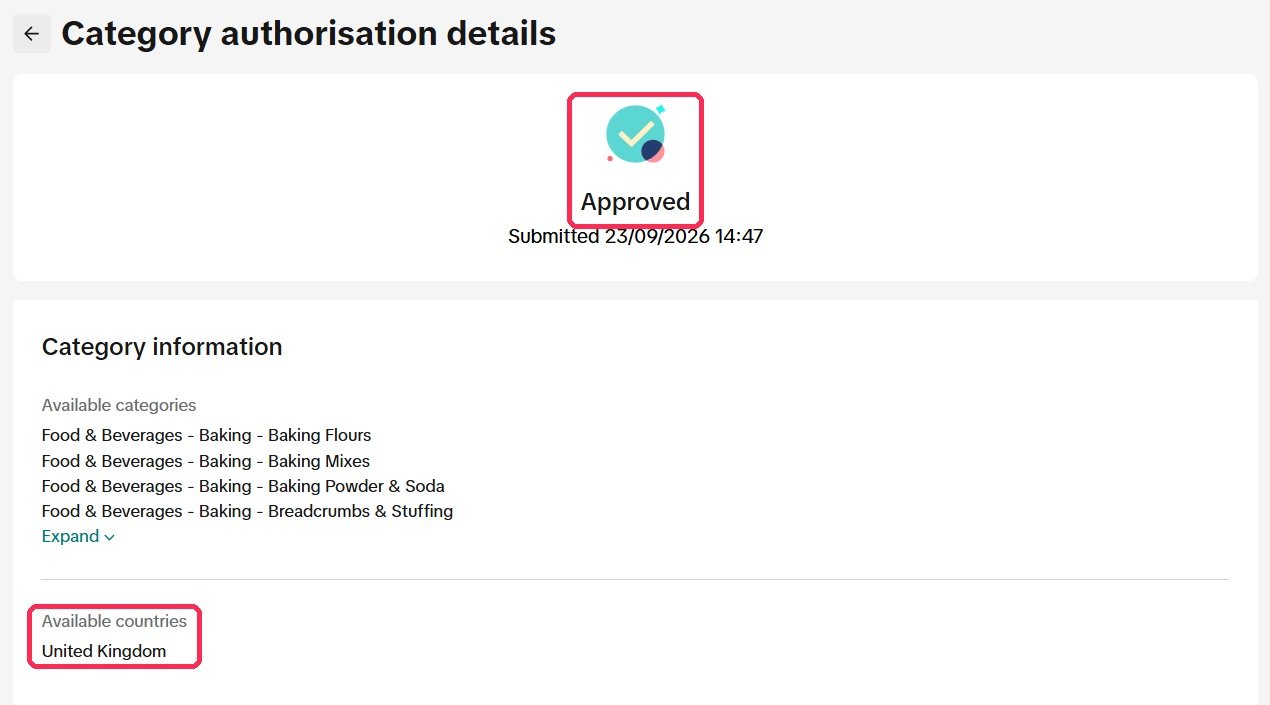
What an approved UK application looks like
Food & Beverages, Baking. Available country: United Kingdom.
Food label rules TikTok checks
What must be on the label and the product page
- Legal name of the food and net quantity
- Best before or use by date
- Name and address of the UK Food Business Operator
- Full ingredients list, with allergens highlighted (for example in bold)
- Allergen information, or a statement that allergen labelling is not required
- Country of origin, QUID, nutrition information
- Storage conditions and instructions or warnings, if applicable
- All in English, clear and easy to read
The 14 allergens to declare
- Cereals containing gluten, crustaceans, eggs, fish, peanuts, soybeans, milk
- Tree nuts, celery, mustard, sesame, sulphur dioxide and sulphites, lupin, molluscs
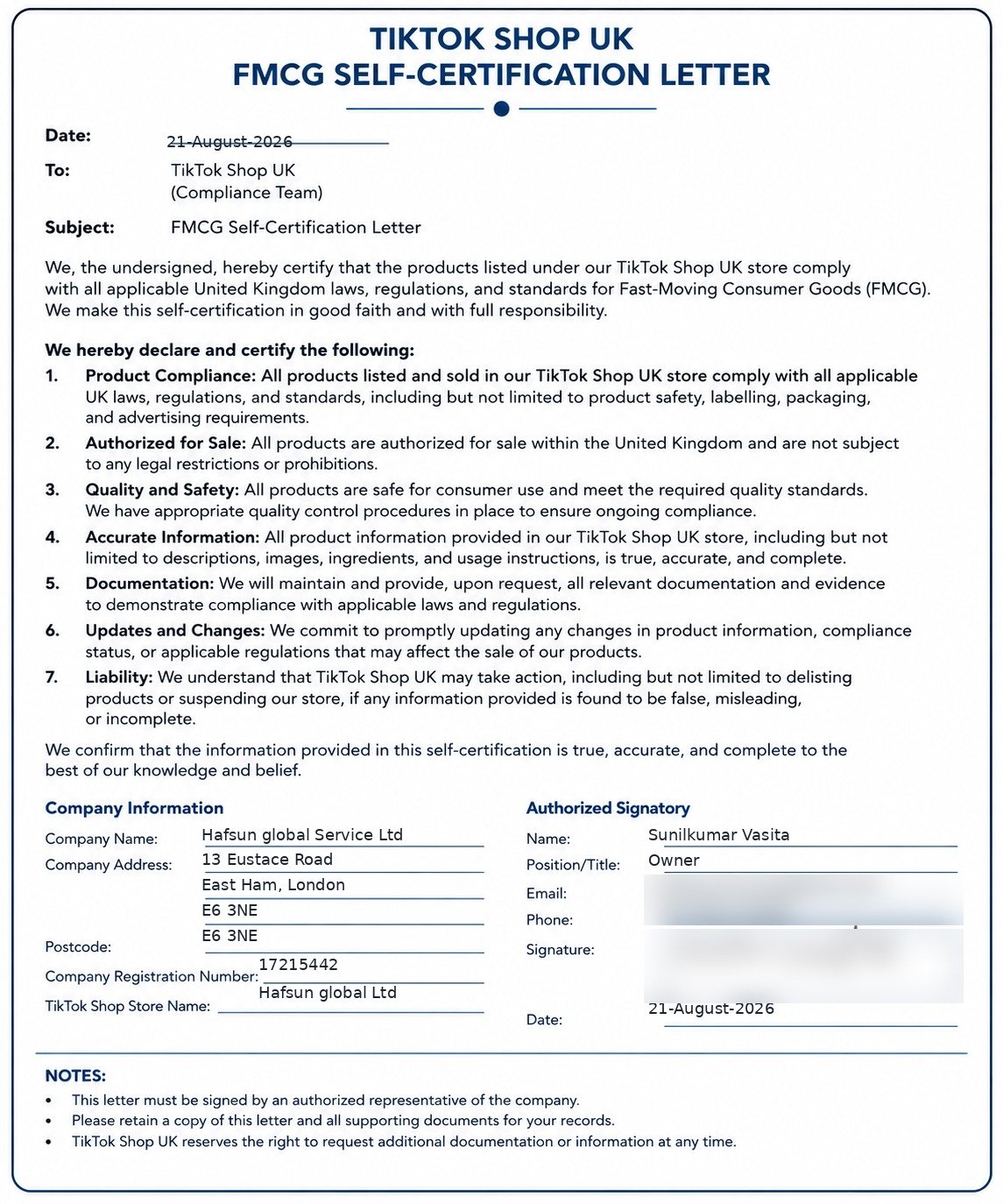
Self Certification Compliance Declaration: what it includes
A one-page letter on your company details, signed by a director or owner. It confirms seven things:
What if I list food without approval?
TikTok Shop can reject your listings, remove products from your shop and give violation points. To appeal an enforcement: Seller Centre → Account Health → Shop Health → Violation Records → View & Appeal.
- Invite-only products (TikTok Shop UK Academy)Updated 25/08/2026
- Food and Beverage Listing Guidelines (TikTok Shop UK Academy)Updated 25/08/2026
- Electrical, Toys and Cosmetics Certification GuidelineUpdated 13/05/2026
- Register a food business (GOV.UK)Free
Can’t get it approved? Our team can do it for you
If the documents are confusing, keep getting rejected, or you simply do not have time, the eBizz Genius team can handle UK category approval for you. We check what TikTok Shop is asking for, tell you exactly which genuine documents you need, prepare a clean submission and follow it through to approval.
eBizz Genius Limited, registered in England and Wales (Company No. 15954165).